Invisible Text Generator: A Complete Guide to Blank Unicode Characters and How People Use Them
Learn how invisible text works beneath the surface, how Unicode characters like U+200B and U+2800 differ from an ordinary keyboard space, and how developers, designers, and everyday users apply them responsibly in testing, typography, and digital layouts.
Invisible text—often called blank text, zero-width characters, or empty Unicode characters—consists of valid text characters that render without a visible glyph on screen while still existing as real, storable data in memory. People encounter these characters in software QA testing, multilingual script shaping, clean social bio formatting, and layout typography experiments.
A standard spacebar press (U+0020) and a specialized invisible Unicode character are handled very differently by modern software. Because many web forms automatically trim ordinary trailing or leading spaces—or reject inputs containing only standard spaces—specialized Unicode code points carry distinct formatting rules defined by the international Unicode specification.
In this complete guide, you will learn how an invisible text generator creates blank Unicode sequences, how each character behaves across mobile and desktop platforms, what web developers need to know about Unicode normalization and security, why blank Unicode differs completely from deceptive SEO cloaking, and how to use these characters responsibly.
What Is Invisible Text and How Does It Work?
Invisible text refers to any standardized Unicode code point that intentionally produces no visible ink on screen, or instructs a text-shaping engine how adjacent characters should wrap or connect rather than drawing a symbol of its own.
Crucially, these characters were not invented as novelty tricks. They were introduced to the Unicode Standard to solve real linguistic, typographic, and computing challenges across world writing systems—such as word segmentation in Southeast Asian scripts, letter joining in Arabic and Persian, emoji ligature sequences, and Braille display encoding.
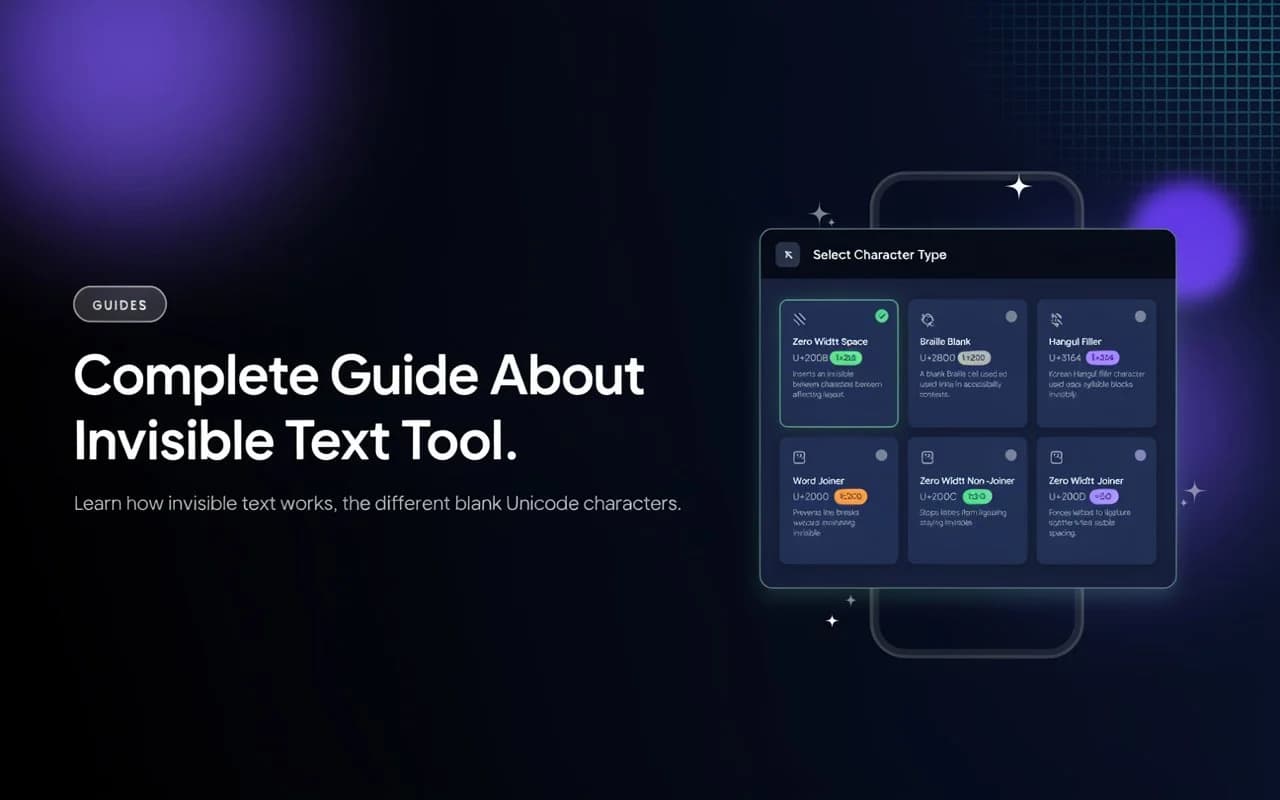
- Zero Width Space (U+200B): Marks an optional line-break opportunity between words or long URLs without inserting a visible horizontal gap.
- Zero Width Joiner (U+200D): Signals modern font renderers to combine multiple standalone glyphs (such as emoji families or Indic conjuncts) into one connected character.
- Hangul Filler (U+3164): Acts as an invisible structural filler within Korean Hangul jamo composition blocks.
- Braille Pattern Blank (U+2800): Represents an unraised 6-dot or 8-dot cell in the Braille Symbols block—visually blank, yet treated as a graphic symbol rather than ASCII whitespace.
When you copy one of these code points and paste it into a plain text field, the application stores real UTF-8 or UTF-16 bytes—typically 3 bytes per character in UTF-8—even though your eyes see an empty region.
Keyboard Space vs. Invisible Unicode Characters
Many users wonder why pressing the spacebar multiple times fails in captions, bios, or form fields, whereas a generated blank character stays intact. The reason comes down to how browsers, CSS, and input sanitizers classify whitespace:
Common Types of Invisible Unicode Characters
Not every invisible character behaves identically across operating systems or fonts. Understanding what each code point is designed for helps you choose the cleanest option for your task:
Technical Comparison of Blank Unicode Characters
Use this quick technical reference when choosing between formatting controls and visible-width blank symbols:
| Code Point | Character Name | Horizontal Width | UTF-8 Size | Best Legitimate Use |
|---|---|---|---|---|
| U+200B | Zero Width Space | 0 px (wraps lines) | 3 bytes | Word wrapping, QA form tests |
| U+2800 | Braille Pattern Blank | Occupies space | 3 bytes | Spacing alignment, empty-line layouts |
| U+3164 | Hangul Filler | Depends on font | 3 bytes | Korean jamo tests, Unicode QA |
| U+2060 | Word Joiner | 0 px (no break) | 3 bytes | Preventing awkward typography breaks |
| U+200C | Zero Width Non-Joiner | 0 px (shaping) | 3 bytes | Arabic, Persian & Urdu orthography |
| U+200D | Zero Width Joiner | 0 px (ligature) | 3 bytes | Emoji sequences & script ligatures |
Practical Uses Across Everyday Workflows
Using our browser-based invisible text tool alongside its built-in Unicode Inspector makes it straightforward to generate, verify, and test characters across four common areas:
Web Development, Unicode Normalization & Security
For software engineers and product teams, invisible Unicode is an important boundary case in both front-end rendering and back-end security validation.
Invisible Text, SEO & Policy-Compliant Publishing
Website publishers sometimes confuse invisible Unicode characters with “hidden text” spam in SEO. In reality, search engine spam policies target deceptive CSS/HTML techniques designed to hide keyword-stuffed text from human visitors—such as:
display: noneHides keyword blocks completely from visible page rendering
visibility: hiddenKeeps layout box space while concealing text from readers
color: #fff on white bgMatches text color to background to conceal keyword lists
text-indent: -9999pxPushes stuffed links or headings off-screen out of view
Plain Unicode characters like U+200B are part of standard text encoding, not deceptive HTML cloaking. Still, publishers and everyday users should never use invisible characters to disguise automated text, spoof identities, evade content moderation, or distort page readability. Clear, transparent, user-first content is always the safest standard for both search quality and advertising policies.
Best Practices, Limitations & Troubleshooting
Inspect before relying on an output. Use the Interactive Test & Unicode Inspector on our Invisible Text page to confirm exact code points and character counts before copying into a live project.
Expect platform differences. Apps update whitespace and username sanitization frequently; a character accepted in a bio today may be normalized or stripped in a future release.
Check accessibility impact. Avoid inserting dozens of Braille Blank characters (U+2800) inside public content where screen readers may announce blank Braille cells aloud to visually impaired users.
Use responsibly. Stick to testing, layout spacing, typography, and learning—never use invisible text to impersonate accounts, spam feeds, or bypass platform rules.
Frequently Asked Questions
What is an invisible text generator?
Is invisible text the same as pressing the spacebar?
Which invisible character works best for spacing vs. zero-width breaks?
Can invisible characters be detected in pasted text?
Does TextRepeatPro store the text I generate or inspect?
Does invisible Unicode hurt website SEO?
Why does a blank character sometimes show as a box or tofu symbol?
Related Tools & Guides Worth Exploring
Pair our invisible character guide with these free browser utilities and in-depth tutorials:
Text Spacer
Add consistent spacing between characters, words, or lines for clean typography.
Case Converter
Switch text between UPPERCASE, lowercase, Title Case, camelCase, snake_case, and more.
Text Reverser
Flip letters, words, sentences, or lines backward instantly in your browser.
Guide: Repeat Text Online Instantly
Learn how to repeat any word, phrase, or emoji in seconds with custom separators and formats.
Conclusion
Invisible Unicode characters serve an essential role far beyond simple blank messages—supporting international writing systems, accessible typography, emoji ligatures, and software input testing. Knowing how Zero Width Space, Braille Pattern Blank, Hangul Filler, and Word Joiner behave ensures you pick the right character for the right job.
Whenever you need to test form validation, fine-tune line wrapping, or verify hidden code points in pasted text, open our Invisible Text Generator and built-in Unicode Inspector right in your browser.
Ready to Generate & Inspect Invisible Text?
100% free, instant, and browser-based—no registration or downloads required.
Try the Invisible Text Tool